
Request a document
Ask someone to produce a document, and choose who approves it. Docutrol numbers it, tells the submitter, chases the due dates and routes it for approval.
How it goes
- Requester: Request the document (Title, type, submitter, approvers, due dates)
- Submitter: Upload the file (It becomes Rev A, stored as a controlled copy)
- Approvers: Review and decide (Mark it up, then approve or send it back)
- Docutrol: Approved and in effect (Everyone on it is told)
Step by step
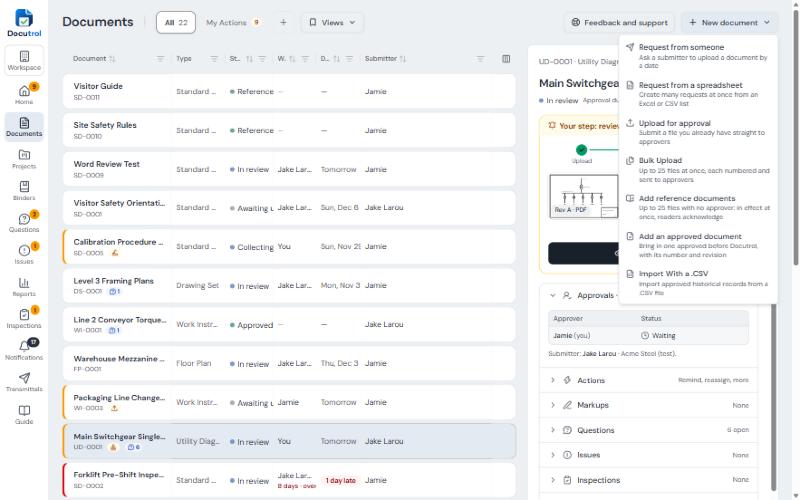
- Press New document, then Request from someone.
- Choose the approval flow if your workspace offers more than one, then give the title and type. The number is assigned for you.
- Choose the submitter (who will upload it) and the approvers. Tick Approve one after another if they should review in order.
- Set when the upload is due and when the approval is due, then send the request.
- The submitter gets a notice and an Upload task on their Home. Once they upload, the approvers get a Review task.
Good to know
- A document type can carry its own defaults (approvers, due dates, instructions), so most requests need only a title and a submitter.
- Until something is uploaded, the requester can change the approvers or cancel the request.
- The With column in the register always shows who has the document now, and for how long.