
Docutrol vs DocuSign + SharePoint
Signatures and a shared drive aren't document control.
DocuSign is excellent at collecting signatures, and SharePoint at storing files. The review, the required changes, the approvals in order and the "which copy is current" question usually fall between them. That's the part Docutrol does.
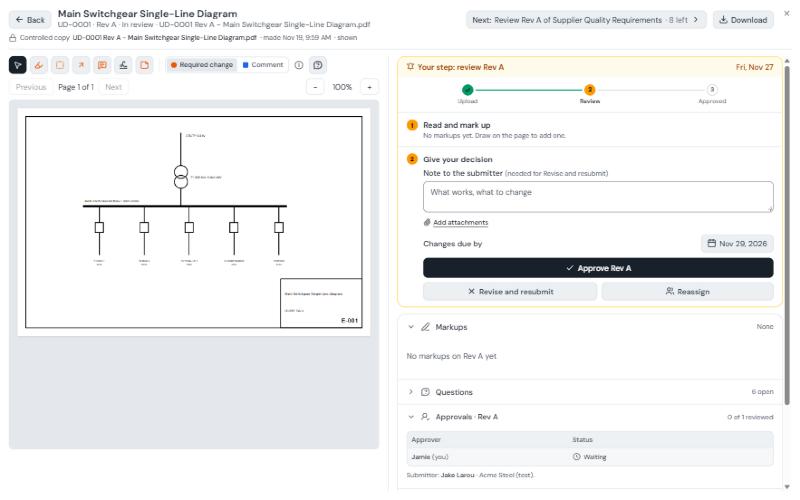
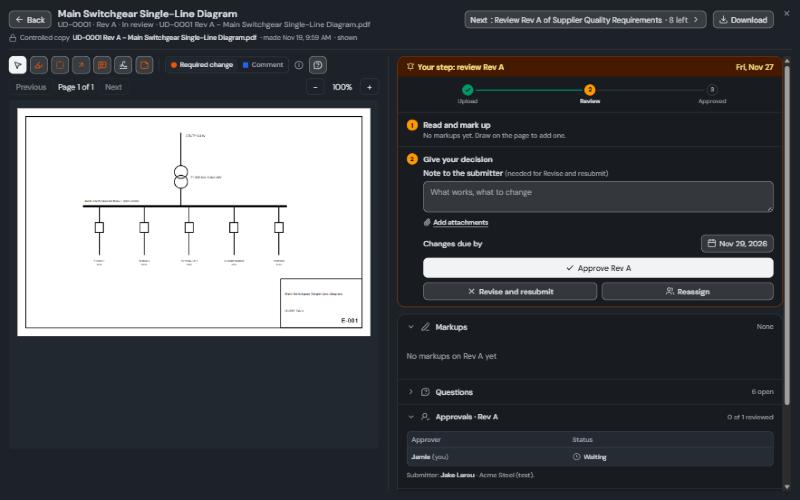
Side by side
| What you need | DocuSign + SharePoint | Docutrol |
|---|---|---|
| Collect signatures | Yes, its core strength | Yes: signed approvals with identity check and meaning (Business) |
| Review with markups and required changes before signing | Not their focus; review usually happens in email or Word | Yes: markups on the page, revise and resubmit, compare revisions |
| Know which revision is in effect | Up to you, in SharePoint folders and naming | Automatic: one effective revision, older ones marked superseded |
| Several approvers in order, reminders, escalation | Possible with a Power Automate flow someone builds and maintains | Built in, ready on the first day (Team) |
| Read and acknowledge | Separate tool or a custom list | Built in (Team) |
| Outside reviewers | Signers by email; SharePoint guest access via Entra ID | Free guests by private link, limited to their documents |
| Keep files in SharePoint | Yes | Yes: pick from and file approved copies to SharePoint or OneDrive (Business) |
Based on publicly available product and pricing information as of November 2026. DocuSign and SharePoint are trademarks of their owners.
When to keep what you have
If you mostly send contracts to customers for a signature, an e-signature tool on its own is the right fit. Docutrol is for documents your own team reviews, revises and controls over time: procedures, drawings, specifications, policies and submittals.
Questions
Do we have to stop using SharePoint?
No. Many teams keep SharePoint as the library and use Docutrol for the review, approval and release around it; approved copies can be filed straight back to a SharePoint folder.
How does the cost compare?
As of November 2026, DocuSign's published Standard plan was about $25 to $30 per user a month for signatures alone. Docutrol Business is $29 per paid user a month billed annually, including the whole approval process, and people who only read or acknowledge are free.
Can people still sign the way they're used to?
It is a little different. Approvers sign by confirming who they are, with their password or an emailed code, and Docutrol records their name, what the signature means and the time. Signature, initials and date fields can be placed on the page for approvers and other signers. A signature shows as the signer's name, not a hand-drawn mark.