
For quality and manufacturing teams
Document control an auditor can follow.
Procedures, work instructions and quality records: approved before issue, the current revision always marked, obsolete copies out of the way, and a record of who read what.
ISO 9001:2015, clause 7.5
What the standard asks, and how Docutrol covers it.
| Requirement (in plain words) | In Docutrol |
|---|---|
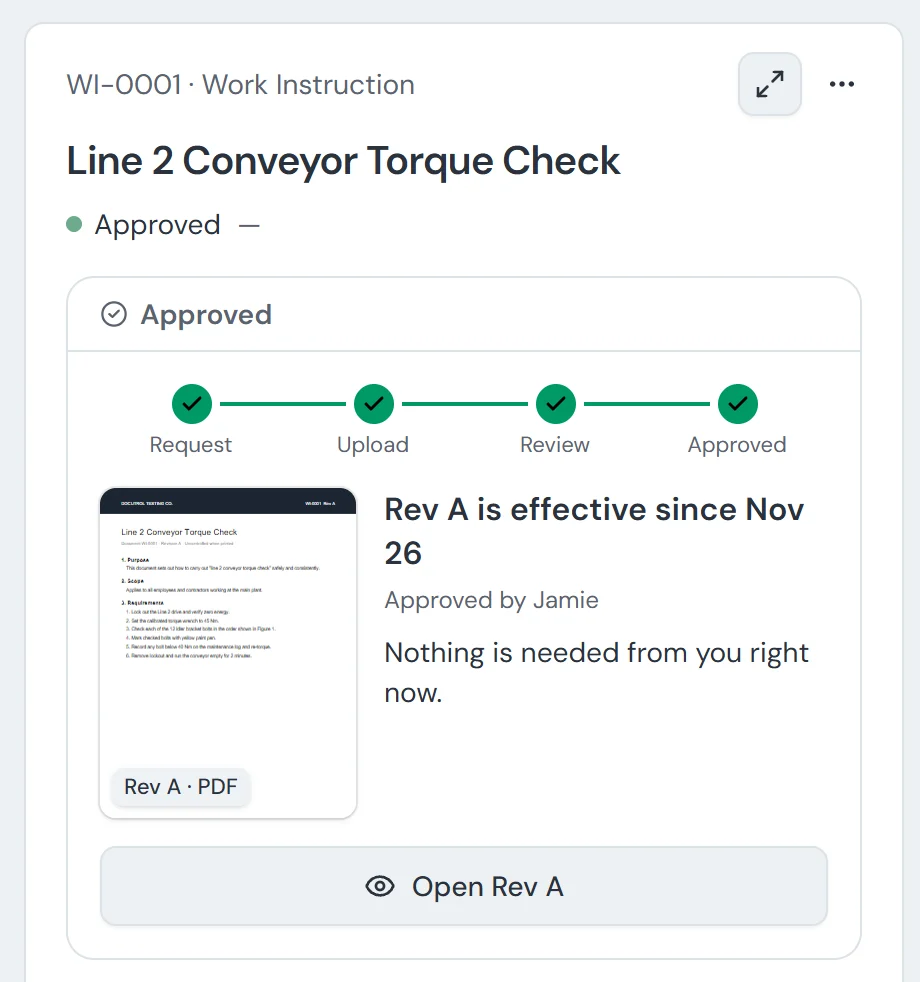
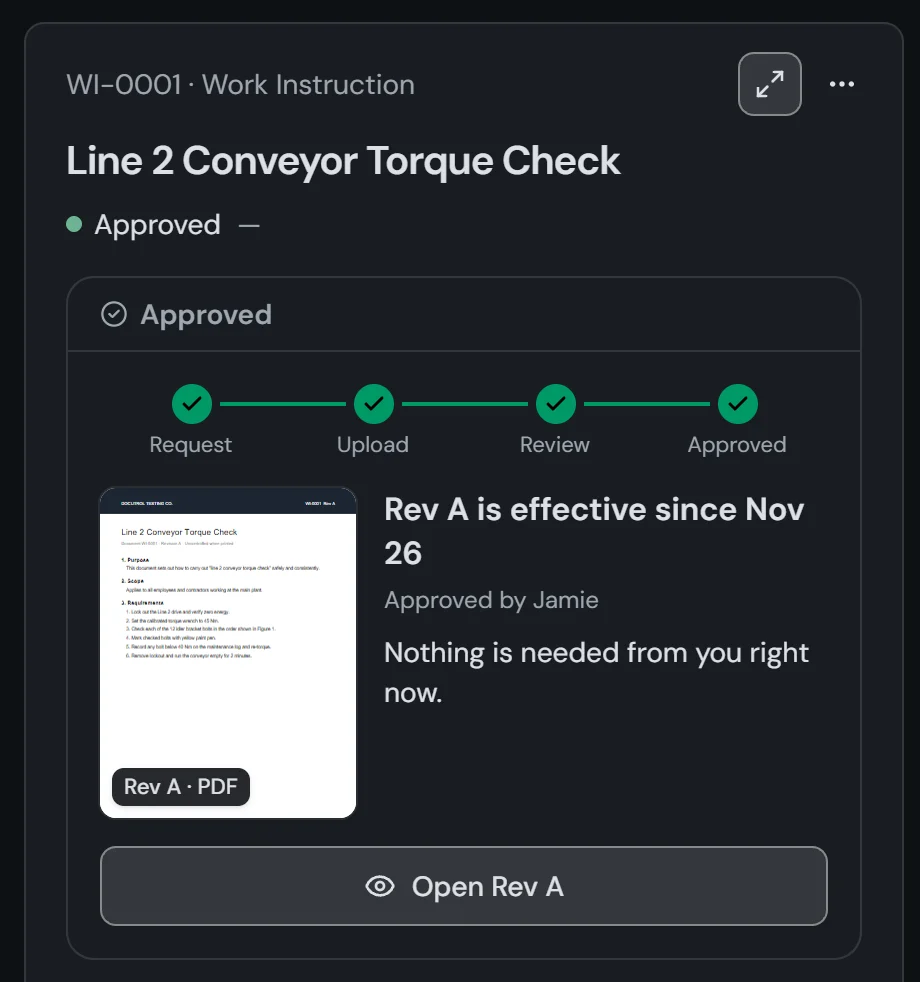
| Approve documents for suitability before they're issued | Approval flows with named approvers, together or in order; nothing becomes effective until the last approval. Signed approvals record the signer, meaning and time. |
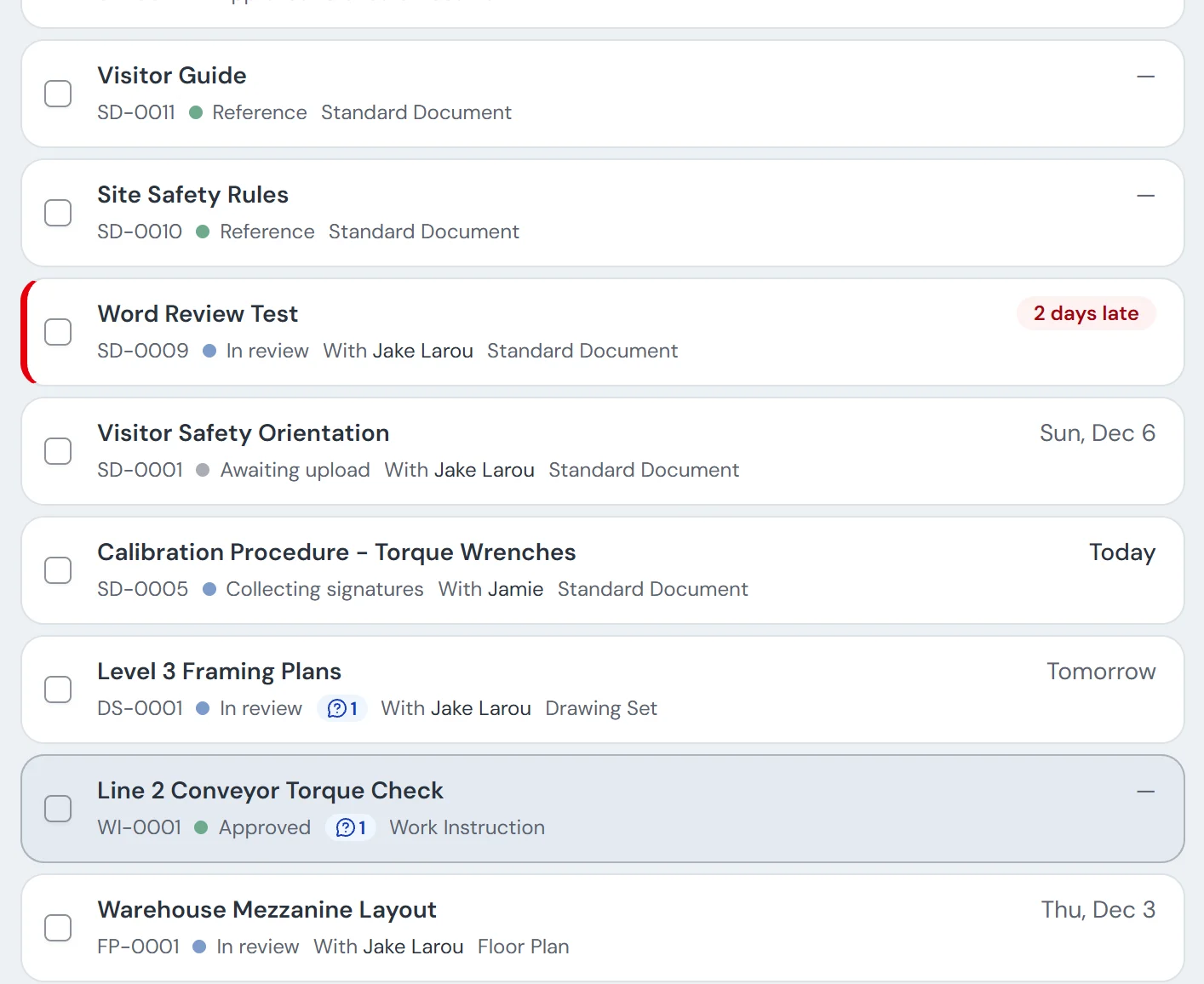
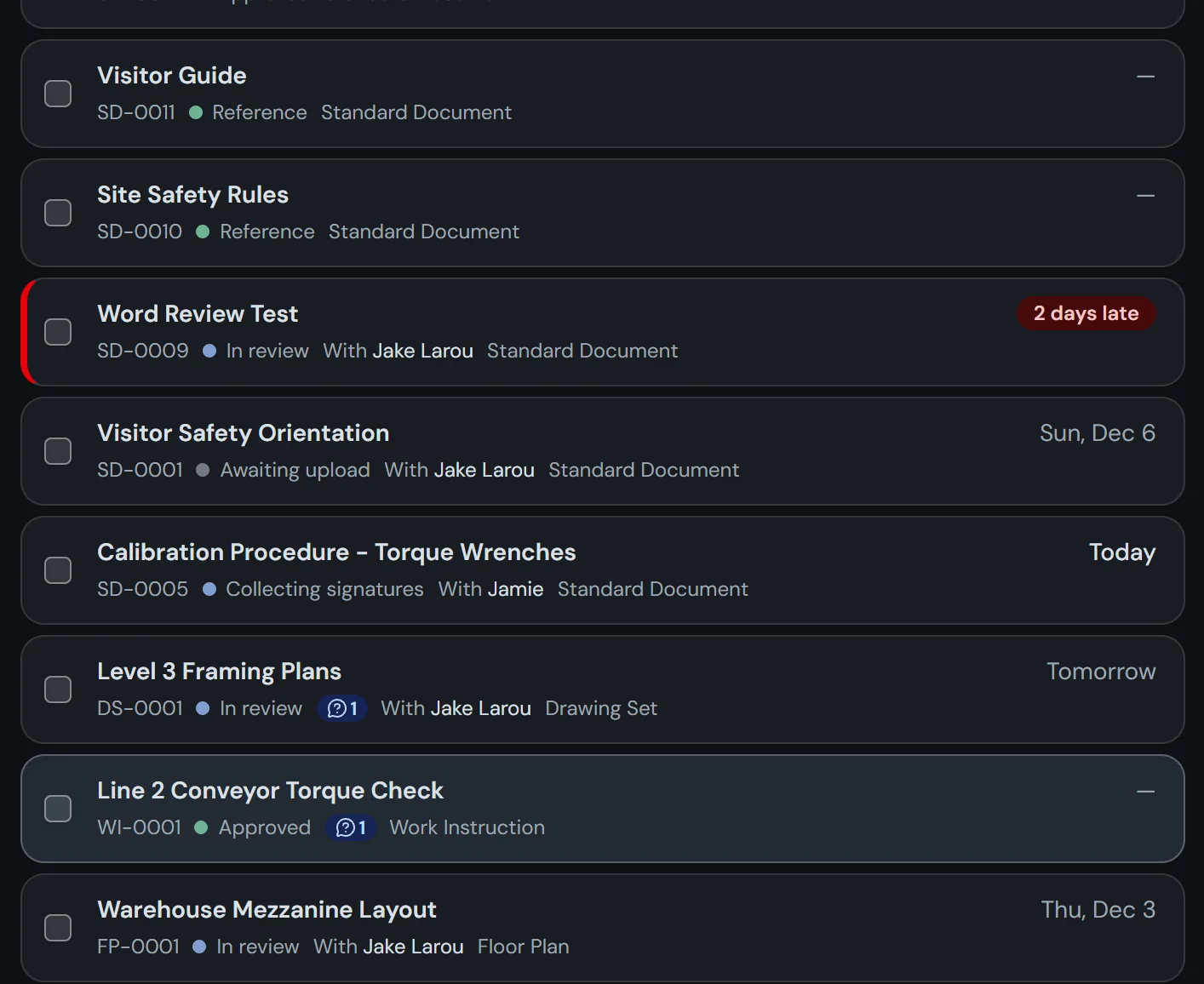
| Identify documents and their revision status | Every document gets a number by type and a revision label; the register shows which revision is in effect and which are superseded. |
| Review and update documents, and identify changes | Start the next revision from the effective one, record a change summary, compare revisions side by side, and set periodic reviews. |
| Make the current version available where it's used | People open the released copy of the revision in effect from Docutrol, from a copy kept offline on a phone or tablet, or from the cloud folder it is filed to. Read-and-acknowledge confirms they've read it. |
| Prevent unintended use of obsolete documents | Older revisions are marked superseded automatically; released copies carry a certificate anyone can check on the Verify page. |
| Control distribution, access and retention | Access is enforced by the database per document; retention rules, legal holds and admin-approved disposal keep records as long as required. |
| Control documents of external origin | Add customer, supplier and standards documents as reference documents that need no approval, or bring them in as already approved with their own numbers and revisions. |
| Protect documented information | Files are fingerprinted at upload and checked before approval; every action is in the audit trail. |
Paraphrased for clarity; read the standard itself for the exact wording.
Day to day
Less chasing, fewer surprises at audit time.
Reminders that send themselves
Before and after due dates, with escalation to the requester and a daily summary instead of a flood of emails.
Periodic review
On the interval you set, each document's submitter confirms it is still current or starts the next revision.
Read and acknowledge
Choose who must read each new revision and see who has confirmed, per document.
Signed approvals
Identity check, stated meaning and time on every signed approval; signature fields on the page when a form needs them.
Inspections
Signed checklists of pass or fail checks and measurements, against an approved document or the checklist's own standard. Failed items can become issues.
Exports for the auditor
The register to Excel; each document's history to PDF or CSV; released copies with their certificate.
Reminders and read and acknowledge start on Team. Signed approvals, periodic review and inspections are in Business, and retention rules in Enterprise. See what each plan includes.
Quality team questions
Does Docutrol make us ISO 9001 certified?
No software can do that. Docutrol gives you the controls clause 7.5 describes and the records to show an auditor; your quality system and your certification body do the rest.
Can people sign approvals electronically?
Yes, on Business and Enterprise. Each approval is signed with a password or an emailed code, a stated meaning such as "Approved", and the time. Whether that meets a particular regulation (for example 21 CFR Part 11) is for you to decide and validate.
How do we prove staff have read a new procedure?
Turn on read and acknowledge (Team and above) for a document type. The chosen people confirm each effective revision, and you can see who has and who hasn't.
Can we keep obsolete documents for the retention period?
Yes. Superseded revisions stay in the history. On Enterprise, retention rules per type tell admins when records are due for disposal, and each disposal is recorded with what was disposed and why.